

⚡ TL;DR — What You’ll Learn
How to use ChatGPT to build a complete lesson plan from scratch in under 10 minutes. Includes real prompts for every step — objectives, activities, differentiation, assessments, and more. Written specifically for elementary and middle school teachers.
How to Use ChatGPT for Lesson Planning: A Step-by-Step Guide for Elementary Teachers
Sunday night. Stack of papers to grade. Monday’s lesson plan still blank. Every teacher knows this feeling — and most teachers have heard that “AI can help with planning” without ever getting a clear answer for how, exactly, that works in practice.
This guide is that clear answer. Not theory. Not general advice. A specific, repeatable process for using ChatGPT to build a complete elementary lesson plan — from learning objective to exit ticket — in under 10 minutes.
Every step includes the exact prompt to use. Copy, adjust for your grade and subject, and go.
Before You Start: Set Up ChatGPT for Lesson Planning
You don’t need a paid ChatGPT account to use this guide. The free tier (GPT-4o) handles everything here. Go to chat.openai.com, create a free account if you don’t have one, and open a new chat.
One thing that makes a significant difference: give ChatGPT context about you at the start of every planning session. The more it knows about your classroom, the more useful its output will be.
Start every lesson planning session with this context prompt:
“I’m a [grade level] teacher. My class has [number] students, roughly ages [age range]. We’re currently studying [subject/unit]. About [number] of my students need extra support, and [number] are ready for extension challenges. I’ll be asking you to help me plan lessons. Please keep all suggestions practical, age-appropriate, and ready to use in a real classroom.”
You only need to do this once per session. After that, ChatGPT will carry that context through every follow-up prompt.
Step 1 — Define Your Learning Objective
Every good lesson starts with a clear objective — what students will be able to do by the end of class. This is also where most lesson planning stalls, because writing objectives that are specific, measurable, and grade-appropriate takes more mental energy than it should.
Let ChatGPT handle the first draft.
“Write 3 learning objectives for a [grade level] lesson on [topic]. Each objective should start with an action verb, be measurable, and be achievable in a single 45-minute class period. Align them to [Common Core / your state standards] if possible.”
Example output for a 3rd grade fractions lesson:
- Students will be able to identify fractions as equal parts of a whole using visual models.
- Students will be able to write fractions in standard notation (numerator/denominator) for given visual representations.
- Students will be able to compare two fractions with the same denominator using the symbols <, >, or =.
Pick the one that matches where your class actually is, or ask ChatGPT to combine elements from two of them. You’re the editor, not the author. That shift saves the most time.
Step 2 — Build Your Lesson Structure
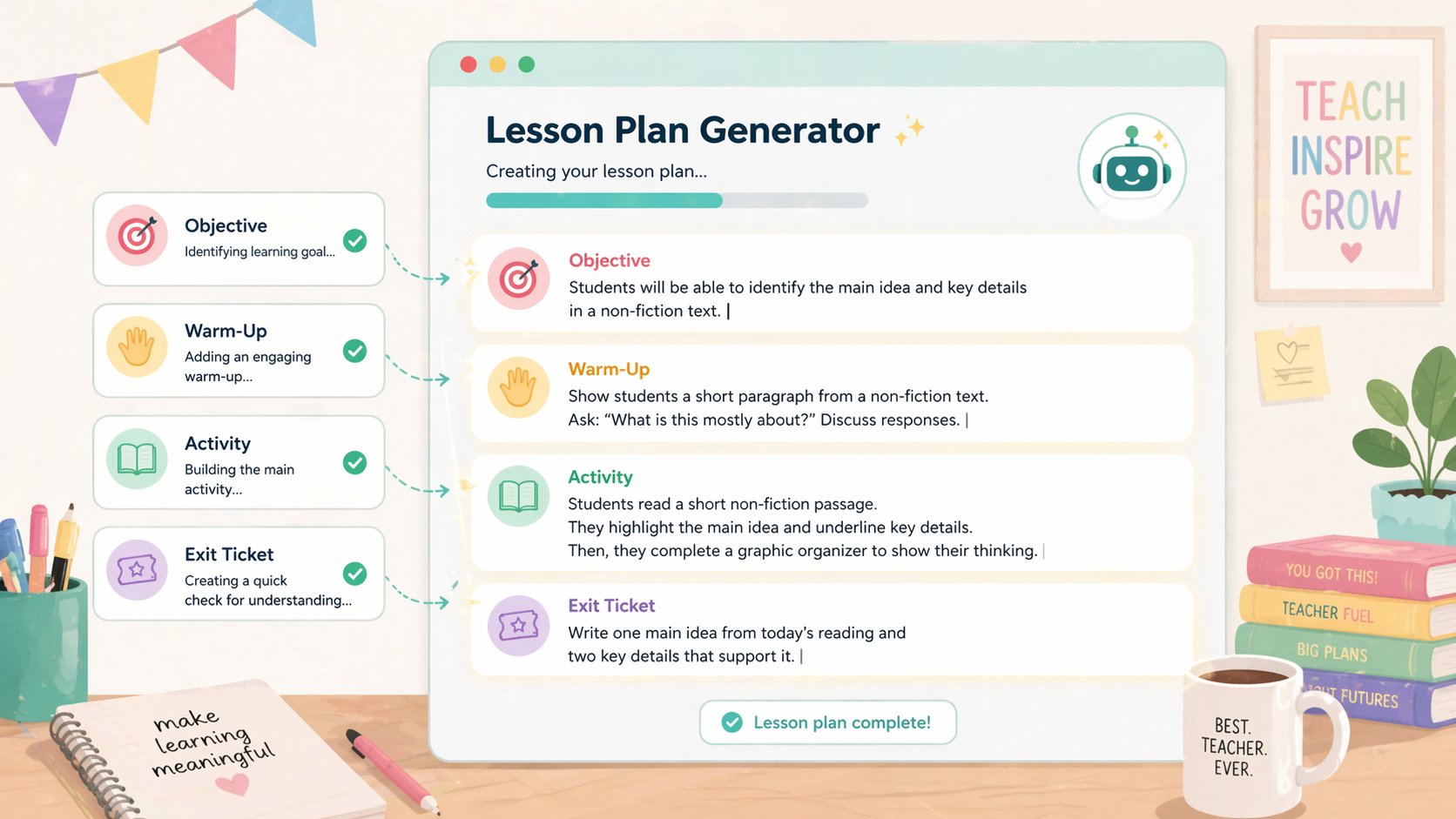
Once you have your objective, ask ChatGPT to build a full lesson outline around it. Be specific about your time constraints — elementary periods vary widely, and a 30-minute lesson looks very different from a 60-minute block.
“Using this objective: [paste your chosen objective], create a [X]-minute lesson plan outline for [grade level] students. Include: a hook or warm-up activity (5 min), direct instruction (10 min), guided practice (10 min), independent practice (10 min), and a closing or exit ticket (5 min). Keep activities hands-on and engaging for this age group.”
ChatGPT will return a full outline with timing. The warm-up and hook suggestions are usually the most creative part — this is where it genuinely saves planning time, because coming up with an engaging entry point for a lesson on, say, long division is not always easy at 9pm on a Sunday.
The most common mistake teachers make when using ChatGPT for lesson planning is accepting the first output without adjusting it. ChatGPT doesn’t know that three of your students had a rough morning, that your projector is broken, or that this particular class loses focus after 8 minutes of direct instruction. Use the outline as a starting point, not a finished plan. The professional judgment is still yours — the AI just does the first draft.
Step 3 — Generate Discussion Questions and Activities
This is where ChatGPT adds the most value for elementary teachers specifically. Generating varied, age-appropriate discussion questions and hands-on activity ideas for a topic is time-consuming to do well — and ChatGPT is very good at it.
“Generate 5 discussion questions for [grade level] students about [topic]. Include: 1 recall question, 2 comprehension questions, and 2 higher-order thinking questions that encourage students to make connections or form opinions. Keep the language accessible for [age range]-year-olds.”
For hands-on activity ideas:
“Suggest 3 hands-on activities for a [grade level] lesson on [topic]. Each activity should take no more than 15 minutes, require only basic classroom materials (paper, pencils, scissors, or items most classrooms already have), and actively involve all students rather than just one at a time.”
The “basic classroom materials” constraint is important. Without it, ChatGPT will sometimes suggest activities that require supplies you don’t have or a prep time you don’t have either.
Step 4 — Differentiate for All Learners
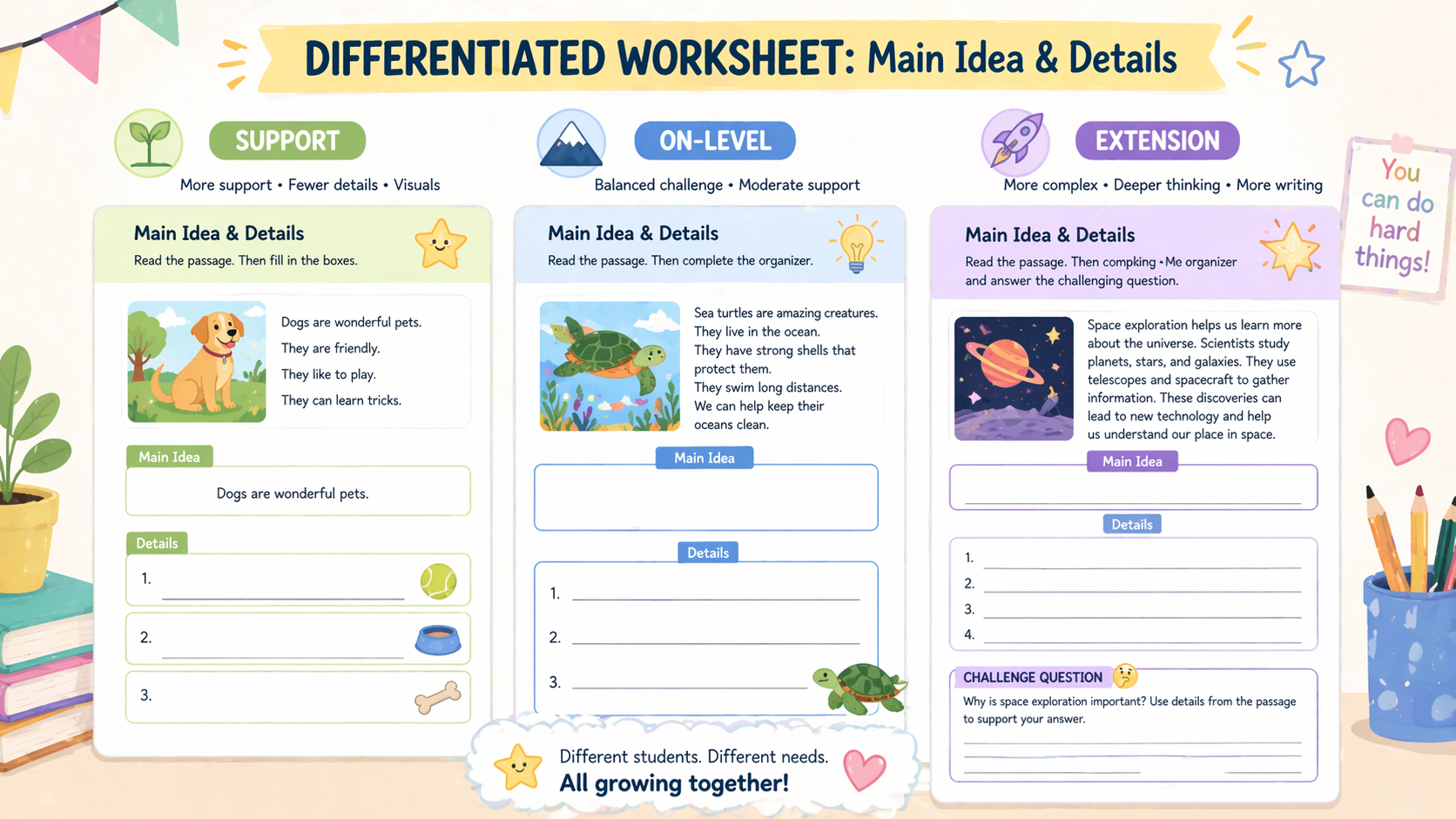
Differentiation is one of the most demanding parts of lesson planning — and one of the areas where ChatGPT is genuinely underused by teachers. You’ve already given it your classroom context in the setup prompt. Now use it.
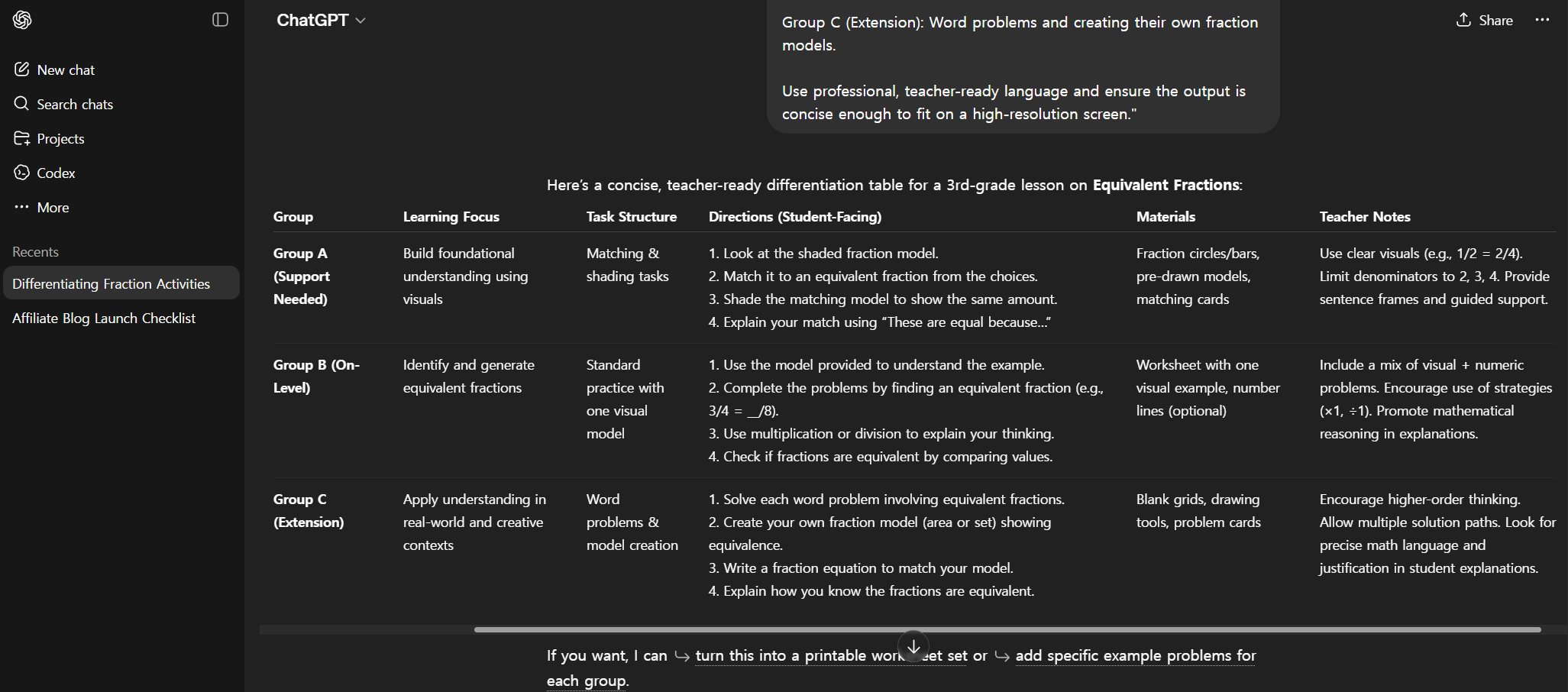
“Take the independent practice activity from this lesson and create three versions: one for students who need additional support (simplified language, more visual cues, fewer steps), one for on-grade-level students (standard version), and one extension version for students ready for an additional challenge. Keep all three versions on the same topic so the class can work simultaneously.”
This single prompt used to represent 30–45 minutes of additional planning work. ChatGPT produces all three versions in about 20 seconds. You’ll still need to review and adjust — but the cognitive load of starting from scratch three times is gone.
Step 5 — Create the Exit Ticket
A good exit ticket is specific to the day’s objective, quick to complete (under 5 minutes), and gives you actionable data about who understood the lesson and who needs follow-up. That’s a precise brief — and ChatGPT handles precise briefs well.
“Create an exit ticket for today’s lesson on [topic] with objective: [paste objective]. Include 2–3 questions that will tell me clearly whether each student met the objective. Questions should take no more than 4 minutes to complete. Include one question that requires students to explain their thinking in their own words, not just select an answer.”
The “explain in their own words” instruction is key — multiple choice exit tickets tell you what students answered, not what they understood. That one constraint significantly improves the diagnostic value of what ChatGPT produces.
Step 6 — Build a Full Week of Plans at Once
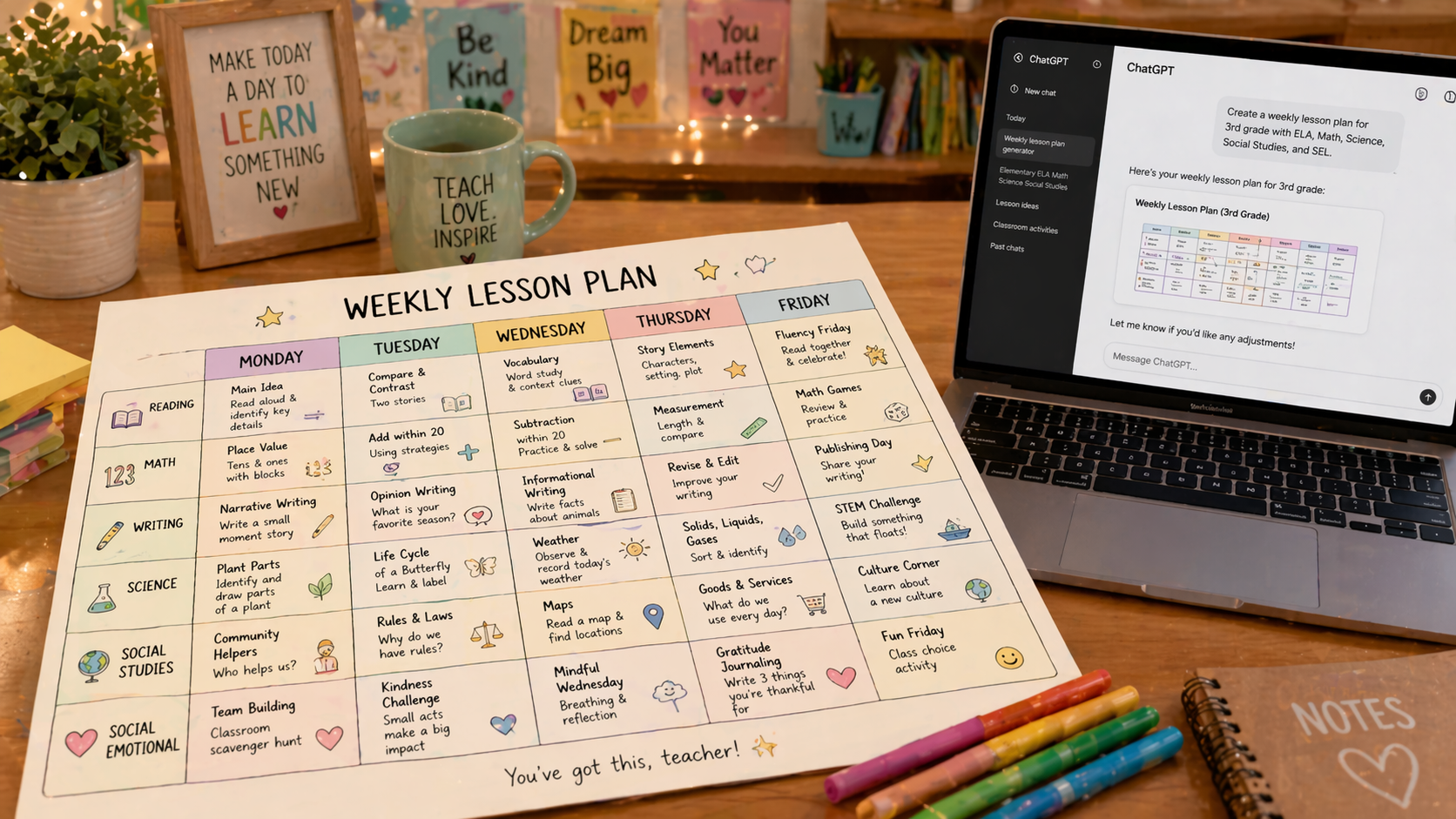
Once you’re comfortable with the single-lesson workflow, the real time savings come from weekly planning. Instead of repeating the process five times, ask ChatGPT to build a coherent week-long unit with progression built in.
“Create a 5-day lesson plan sequence for [grade level] on [unit topic]. Each day should build on the previous one, moving from introduction to practice to application by Friday. Include a one-sentence objective, one main activity, and one exit ticket for each day. Format it as a simple weekly overview I can print or paste into my planning document.”
The output won’t be perfect — no AI-generated plan will know your specific students or curriculum constraints. But a structured five-day outline that you spend 20 minutes refining is a fundamentally different starting point than a blank page on Sunday night.
Bonus: More Prompts Elementary Teachers Actually Use
For parent communication:
“Write a short, friendly paragraph explaining what we’re learning this week in [subject] to send home to parents. Keep it jargon-free and under 100 words.”
For morning meeting questions:
“Give me 5 morning meeting discussion questions for [grade level] students that connect to our current unit on [topic]. Keep them fun, age-appropriate, and answerable in 1–2 sentences.”
For worksheet creation:
“Create a simple practice worksheet for [grade level] students on [skill]. Include 8–10 problems that progress from easier to harder. Add a short set of instructions at the top written at a [grade level] reading level.”
For simplifying complex texts:
“Rewrite this passage at a [grade level] reading level, keeping the key facts but using simpler vocabulary and shorter sentences: [paste text].”
Frequently Asked Questions
Is it okay for teachers to use ChatGPT for lesson planning?
Yes. Using AI to assist with planning is no different from using a textbook, a curriculum guide, or a teacher resource site as a starting point. The professional judgment — knowing your students, adjusting for your classroom context, and making instructional decisions — remains entirely yours.
Will ChatGPT align lesson plans to Common Core or state standards?
Yes, if you ask it to. Include your specific standard code in the prompt (e.g., “align this to CCSS.MATH.CONTENT.3.NF.A.1”) and ChatGPT will incorporate it. Always verify the alignment yourself — AI can misread or misapply standards, especially less common ones.
How do I make sure ChatGPT lesson plans are age-appropriate?
Always specify the grade level and age range in your prompt, and include the context setup at the start of every session. If an output feels too advanced or too simple, follow up with: “Adjust this for a [grade] student who reads at approximately a [grade level] reading level.”
Can ChatGPT create differentiated materials for special education students?
It can create simplified versions of materials, but for students with IEPs or specific learning needs, always review AI-generated content carefully and consult with your special education colleagues. ChatGPT does not have access to individual student information and cannot replace professional special education expertise.
What’s the best ChatGPT prompt for lesson planning?
The most useful single prompt for lesson planning is the weekly overview prompt in Step 6 — it gives you a full week’s structure in one output that you can then refine day by day. For single lessons, the lesson structure prompt in Step 2 is the highest-value starting point.
📩 I’m building a free prompt library specifically for elementary teachers.
Morning meeting questions, worksheet generators, parent communication templates, report card comment starters — all tested in real classrooms. Subscribe to The Edge and I’ll send it when it’s ready.
→ Get the free teacher prompt library
Teachers are one of the most time-poor professionals on the planet. The average elementary teacher spends 10–12 hours per week on planning and administrative tasks outside of classroom hours. That’s not a productivity problem. That’s a structural problem that AI can partially address right now, for free, starting tonight.
The prompts in this guide won’t make you a better teacher. That part is already yours. They’ll just give you your Sunday nights back.
– Alex